Case study · 02
Mina
Open-source developer tool — one local dashboard for every dev server on your machine.
- Node.js
- Child processes
- OS process & port scanning
- HTTP server & probes
- Vanilla JS
- node:test
Overview
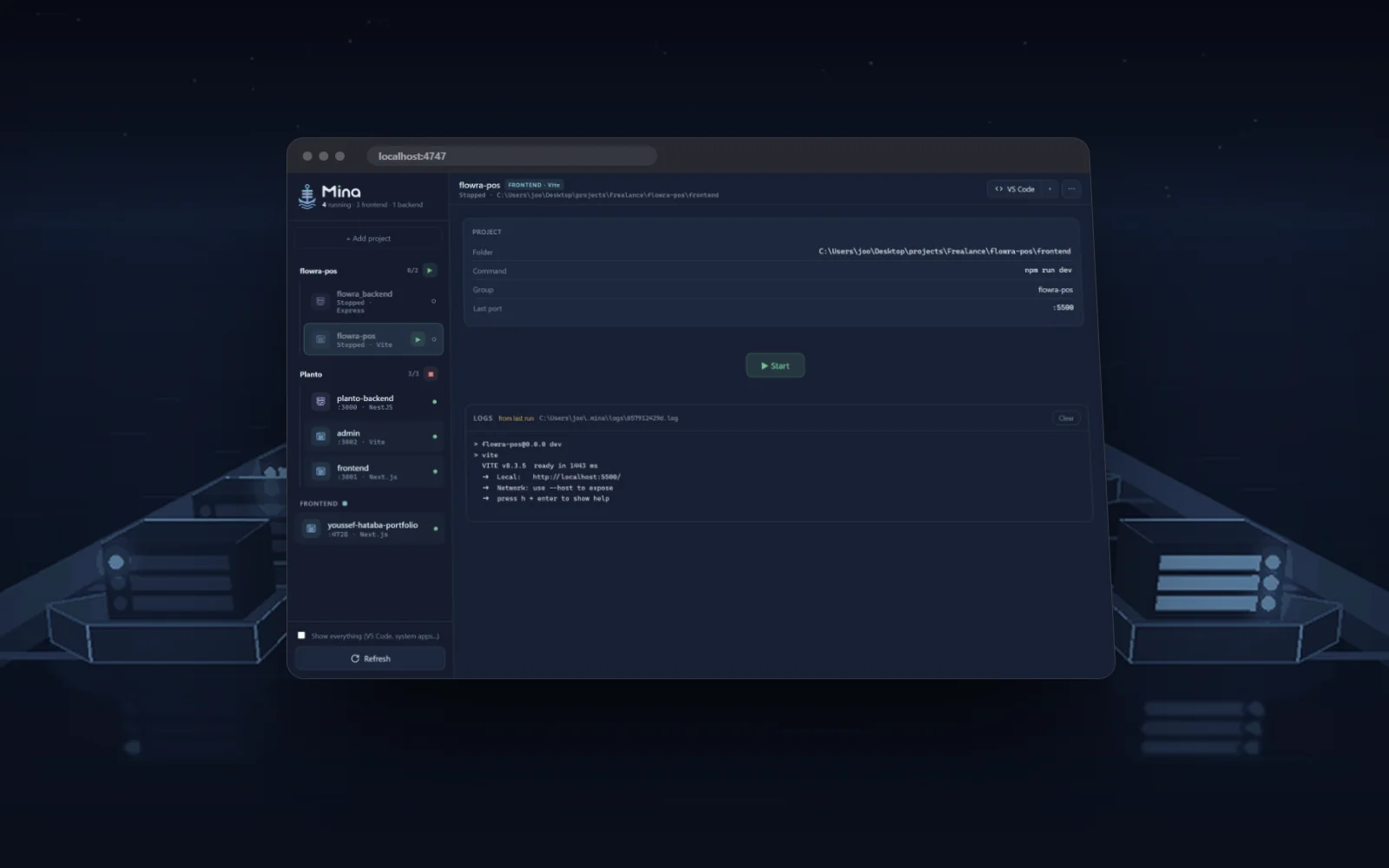
Mina (ميناء, “harbor”) finds every dev server running on your machine and lets you see, start, stop, preview and read logs for all of them from one page.
Problem
Modern projects run as many processes at once — backend, frontend, admin — each on its own port in its own terminal. You lose track of what is running where, ports collide, and every morning starts with the same pile of terminals.
Built
A zero-dependency Node.js dashboard that scans listening ports, matches each server to its project folder and framework, starts whole stacks in the right order (APIs first, frontends once they listen), streams live logs, previews frontends and API docs, and opens projects in your IDE.
Role
Creator — design, architecture, and every line of code.
Impact
Published on npm as mina-dev and open source on GitHub. Two commands — npm i -g mina-dev, then mina — replace a morning of terminal tabs.
Why it exists
Working across several products every day meant juggling ports and processes with no single place to see them. Mina is the harbor where all those ships come in — your dev servers in one view.
Secure by default
Mina binds to localhost only, requires a secret token per session, and checks Origin and Host on every request, so websites you visit can’t control it. Everything it stores stays in ~/.mina on your machine.